|

|
 |

The smarter focus tool
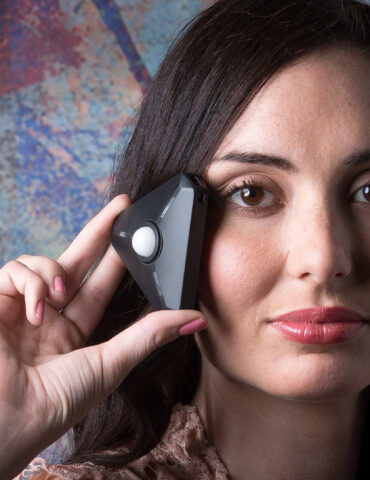
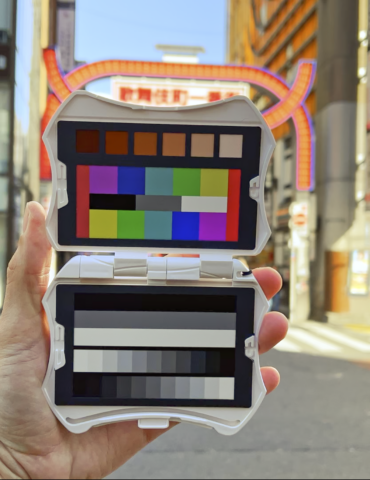
SpyderLensCal™ provides a fast, reliable method of measuring the focus performance on your camera and lens combinations. It allows photographers to obtain razor-sharp focusing or check to see that their lenses are working at their peak performance. This device is compact, lightweight and durable, with integrated level and tri-pod mount.
The problem:
Photographers have enjoyed the benefit of autofocus for 25 years now, but many still struggle with its accuracy and repeatability.
The solution:
Many newer DSLR cameras now offer a method to correct this issue: they allow you to store auto-focus correction data for several of your most important lenses (learn more link)
Features & Benefits
- Fast, easy solution for your interchangeable lenses and recent DSLR bodies provides razor-sharp auto-focusing, using modern DSLR autofocus micro-adjustment technology
- Compact, lightweight and durable, with integrated level and tri-pod mount, making this the most convenient way to adjust your own camera gear
- Save time and hassle of sending your equipment in for service. Now you can check or calibrate your own lenses
- Accurate and repeatable Calibration of your lenses and recent DSLR bodies
- Worthwhile investment to ensure your camera is focusing your lenses as precisely as possible
Requirements
- DSLR or other camera with capability to store lens auto-focus corrections
- Auto-focus lenses capable of being driven by this camera
- No OS requirements, as the tool works entirely within the camera's menu
What You Get
- Datacolor SpyderLensCal™
- Quick Start Guide (available in 10 languages: English, Spanish, French, German, Italian, Russian, Traditional Chinese, Simplified Chinese, Korean, Japanese)
|
 |
 |
|
Supports autofocus adjustments:
- Canon (50D, 7D, 5DMkII, 1DMkIII, 1DMkIV, 1DsMkIII, 1DIV)
- Nikon (D7000, D300, D300s, D700, D3, D3s, D3x)
- Sony (A850, A900)
- Olympus (E-30, E-620)
- Pentax (K20D, K7D)
You can Check the autofocus on any camera and lens combination! For other Cameras that support & store autofocus adjustment please refer to your users manual.
|
 |
|