
|
What is Printer Profiling?
Take a look at the process as well as some key terms used in creating printer profiles.
Printer Profiling
Printer Profiling is the process of creating a custom ICC profile for your printer, inks, and paper that produces the best results when printing to that combination. A printer profile is a small computer file in .icc or .icm format that can be used when printing from color managed applications like Adobe Photoshop.
Spyder3Print SR creates RGB-format printer profiles, for printing to the RGB driver of most any printer. Some printers are driven by non-RGB drivers (most typically PostScript drivers or RIPs); such non-RGB drivers may or may not be able to utilize RGB printer profiles. Check with your printer or RIP manufacturer if you are unsure.
A printer profile conversion works like a handshake: it engages two separate elements. It begins with the RGB Workingspace of your image file, inside your color managed application. It ends with the RGB Printer Profile you have created for your printer, ink, and paper. The handoff from one to the other is the profile conversion, and may allow for choices such as Rendering Intent, and possibly Black Point Compensation.
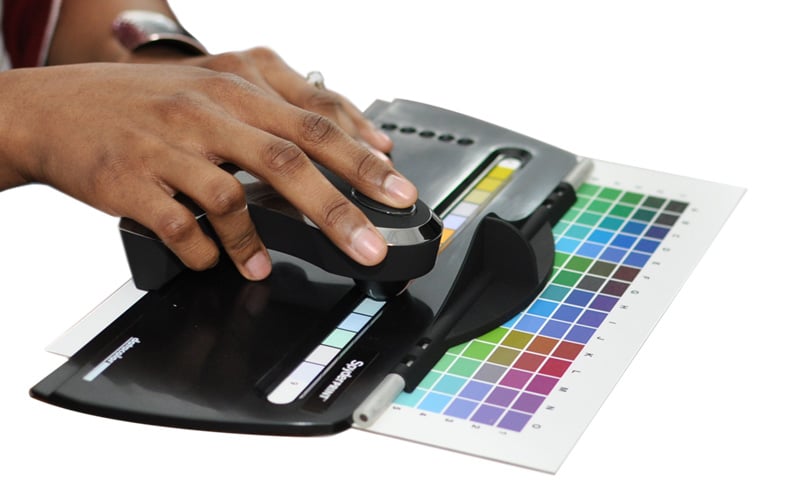
Spyder3Print SR runs as a wizard that covers all the necessary steps in guiding you through profiling your printer for each paper and ink combo you'd like to use. The basic idea is to print out color patches that represent the entire color range of your printer, with the inks you are using, on the paper you wish to profile. Before you print your target make sure you print with NO color management in the printer driver.
Once you let the printed patches dry (we recommend 1/2 hour) you then measure each patch with the spectro and a profile is built from this measurement data.
The SpyderProof component of Spyder3Print SR allows you to see a softproof, or print an actual paper copy of the results your printer profile will produce, before saving and naming the profile. If you would like to further adjust your new profile SpyderProof offers a wide range of adjustment tools (advanced editing), for making changes to your profile.
Spyder3Print lets you readjust an existing profile by selecting the measurement set you made when building your original version of the profile. You can access all the SpyderProof tools for making edits any time you wish through the advanced editing option in SpyderProof.
Softproofing and Printing in Photoshop
Open your image in Photoshop and use the Custom Proof Setup option to softproof your image.
When printing from Photoshop using your custom ICC printer profile you need to select the following in your printer driver: Set the Color Handling to No Color Management, Choose the same paper type and rendering intent you choose when building your profile and select your printer profile from the dropdown menu.

Key Terms Explained
Rendering Intents are differing options for bringing unreachable colors into your printer, ink, and paper's range.
Driver Media Settings (or paper type selections) like glossy photo paper, velvet fine art paper or archival matte Paper will lay down different densities of ink when printing and offer varying degrees of consistency. It's important to choose an appropriate media setting when profiling and use that same setting when printing.
Color Managed Applications: Adobe Photoshop, Lightroom, InDesign, and Acrobat are examples of color managed programs. Unless color management is available in your application, there is no way to convert from the application's colors to the printer's colors.
|